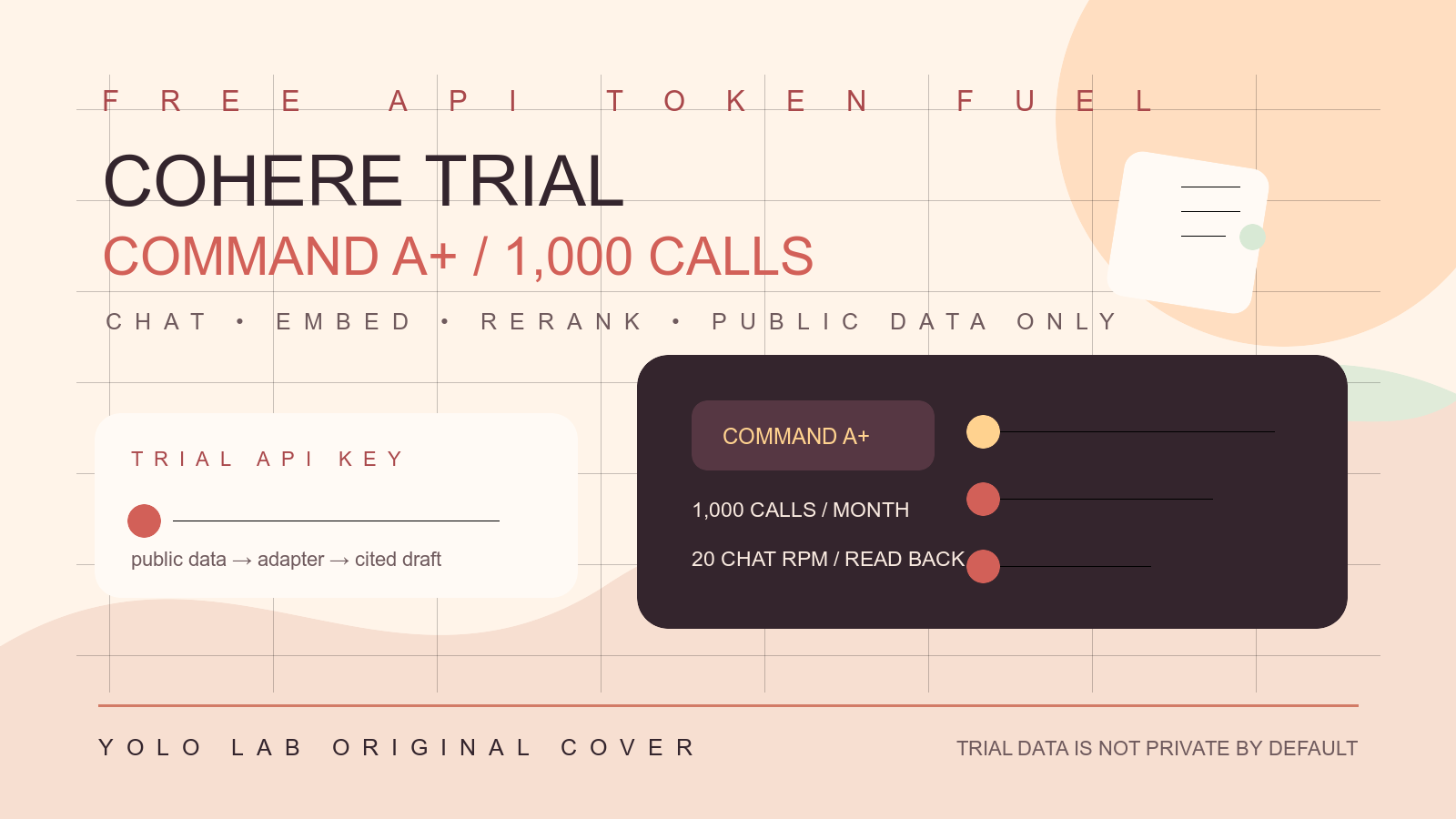
本篇是免費 token fuel 系列第 85 篇,研究 Cohere trial API key。Cohere 官方目前把 trial key 定義為免費但受限的 evaluation route;現行 API Keys and Rate Limits 文件列 trial keys 每月最多 1,000 API calls,Chat API 依模型通常是 20 requests/minute,production key 則是付費且限制不同。這是一個以請求次數為主的免費 API fuel,不是固定免費 token 數,也不是未成年學生可以直接使用的教育福利。

本篇分類為 CONDITIONAL_COHERE_TRIAL_KEY_FREE_1000_CALLS_MONTHLY_ADULT_ONLY。對主要 AI agent,它適合成人學生、研究者或負責任組織在自己的 Cohere account 內做小型 Chat、Embed、Rerank 或 API error routing 實驗;但 Cohere 的最新 Privacy Policy 明確說 Cohere Products 不 intended for minors,也不 intended for personal or household use,Trial Users 不應處理 personal information。因此「學生」必須先通過年齡、課程、組織與資料治理審查。
本文只整理 Cohere 官方 FAQ、pricing、rate limits、Chat API、going live、privacy、terms、usage policy 與 model 文件,不代註冊 Cohere、建立或取得 trial key、不讀取任何人的 key、不填付款、不升級 production、不送出 live request、不處理未成年或個人資料,也不進行 WordPress 外部寫入。主要 agent 的人工 handoff 原則可延伸閱讀 YOLO LAB AI agent 使用 FAQ。
Cohere trial key 的核心結論
Cohere 官方 FAQ 與 pricing 文件目前都寫 trial API key usage is free, but limited;開發者可以用 trial key 測試 Cohere models 與 APIs,前提是自行建立符合條款的 Cohere account。現行 rate-limit 文件再把它具體化為 trial keys 每月最多 1,000 API calls。這讓 Cohere 成為可觀察的低量 API fuel 候選,但「1,000 calls」不能被翻譯成 1,000 turns、1,000 tokens 或每個 endpoint 各自再有 1,000 calls。
同一個 trial key 下,不同 API endpoint 有不同 per-minute limit,並且可能共同受 monthly call limit 影響。主要 agent 要把 Chat、Embed、Rerank、Tokenize、Audio Transcription 與其他 endpoint 分開記錄,再由當日 dashboard/response/官方文件確認實際 usage。不可用一個舊文章的 rate limit 數字,推導出所有新模型與新 endpoint 永久可用。
function classifyCohereTrial(snapshot) {
  if (snapshot.provider !== 'COHERE') return 'PROVIDER_MISMATCH';
  if (snapshot.keyType !== 'TRIAL') return 'PRODUCTION_KEY_REVIEW_REQUIRED';
  if (snapshot.monthlyCallsRemaining <= 0) return 'MONTHLY_CALL_STOP';
  if (snapshot.userIsMinor === true) return 'MINOR_POLICY_STOP';
  if (snapshot.dataClass !== 'PUBLIC_OR_SYNTHETIC') return 'DATA_REVIEW_REQUIRED';
  return 'TRIAL_ROUTE_CANDIDATE';
}
截至 2026-08-25 的敲門模型:command-a-plus-05-2026
截至 2026-08-25,本篇以 Cohere 官方模型頁列為 Live、並標示支援 reasoning、agentic、vision、citations、tool use 與 structured outputs 的 command-a-plus-05-2026 作為能力優先的 trial 敲門模型。官方頁目前列 128K context、64K max output,Pricing 區段也寫 trial 與 production key 在撞到 rate limits 前可免費使用;這仍不是固定 token 或無限請求保證,學生必須先做成人資格、model、endpoint、monthly call 與 data policy read-back。
const currentCohereEntry = {
  model: 'command-a-plus-05-2026',
  endpoint: 'V2_CHAT',
  keyType: 'TRIAL',
  entitlement: 'RATE_LIMIT_AND_POLICY_READ_BACK_REQUIRED'
};
免費的是 trial usage,不是 production
Cohere 把 trial key 與 production key 分開。Trial key 適合 experimentation、testing 與 proof of concept;production key 是給公開應用或較高 throughput,會按 Cohere pricing 計費。當 agent 遇到 trial limit 時,預設應停止或交給 owner,不得自動提交 Go to Production、接受 SaaS agreement、建立付款方式或把 trial key 換成 production key。
Going Live 文件還要求 organization 閱讀 model limitations、model cards 與 data statement;若使用涉及 sensitive use case,production key 可能先維持 trial-level rate limit,直到 safety team review。這說明「免費」和「可上線」是兩個不同閘門。學生課程只做低風險、可撤銷、read-only 的 canary,不把一次成功的試用請求當作 production readiness。
每月 1,000 calls 不是免費 token 額度
Trial key 的主要硬邊界是 monthly API calls,而 Chat response 另外會回傳 input tokens、output tokens 與 billed_units。對 trial usage,這些欄位仍是重要的觀測資料,但不能用 token 數取代 call ledger。一次長 prompt 仍可能撞上 model context、max output 或 latency;一次短 prompt 也會消耗一個 API call。每個 job 要同時記 call count、input tokens、output tokens、model、endpoint 和 response id。
若課程需要比較 prompt,先限制每個學生或每個 job 的 local cap,並把 UI Playground、notebook、API script 的呼叫來源分開。不要因為 trial key 顯示免費,就把 1,000 calls 當成可全數消耗的目標;安全餘額要留給 error reproduction、撤銷確認與最後的 read-back。未確認的 retry 也可能增加 call count。
function reserveCohereCalls(snapshot, job) {
  const reserve = Math.max(10, Math.ceil(snapshot.monthlyCallLimit * 0.1));
  const available = snapshot.callsRemaining - reserve;
  if (job.estimatedCalls > available) return 'CALL_RESERVE_STOP';
  return { action: 'ALLOW_SMALL_BATCH', callsAfterReserve: available - job.estimatedCalls };
}
現行 trial rate limits 要逐 endpoint 查
現行 Cohere rate-limit 文件列出:Chat 多數模型的 trial rate limit 是 20 requests/minute;Audio Transcriptions 是 5 requests/minute;Embed 是 2,000 inputs/minute,Image Embed 是 5 inputs/minute;EmbedJob 是 5 requests/minute;Rerank 是 10 requests/minute;Tokenize 是 100 requests/minute;未列出的 default 是 500 requests/minute。這些 per-minute 值仍受 monthly 1,000 API calls 與模型/帳戶條件影響。
rate limit 的單位不是統一的:Chat、Audio、Embed inputs、EmbedJob、Rerank 與 Tokenize 不能共用一個 concurrency 設定。學生 agent 先只選一個 endpoint,使用單一序列 request,讀 response headers/error,再逐步建立本地 cap。不要在一次課程作業中平行啟用 Chat、Rerank、Embed 與 audio,最後才猜是哪個 bucket 被打滿。
function admitCohereEndpoint(endpoint, snapshot) {
  const limits = {
    chat: { rpm: 20, unit: 'requests' },
    audio: { rpm: 5, unit: 'requests' },
    embed: { rpm: 2000, unit: 'inputs' },
    embedImages: { rpm: 5, unit: 'inputs' },
    rerank: { rpm: 10, unit: 'requests' },
    tokenize: { rpm: 100, unit: 'requests' },
  };
  if (!limits[endpoint]) return 'ENDPOINT_LIMIT_RECHECK';
  if (snapshot.monthlyCallsRemaining <= 0) return 'MONTHLY_CALL_STOP';
  return 'USE_LOW_LOCAL_CAP';
}
Chat API v2 與 model read-back
目前 Cohere Chat API v2 endpoint 是 POST /v2/chat,需要 Bearer authentication、model 與 messages。官方 reference 目前列出 tools、documents、citation_options、response_format、safety_mode、max_tokens、stream、thinking 等欄位,但支援範圍依 model 而異。主要 agent 的第一輪只送 user message、短 public fixture 和低 max_tokens,不直接啟用 tools、documents、image、streaming 或外部 side effect。
model id 要以當日 Cohere models 文件和 rate-limit table 查核。官方示例目前包含 command-a-plus-05-2026,但示例不代表該 model 永久存在、每個帳戶都沒有額外限制或可以用於任何商業用途。每次請求記錄 model、API version、endpoint、finish_reason、response id、usage 與錯誤狀態,遇到 model deprecation 就停止而不是自行替換成未審查的 model。
import os
import cohere

client = cohere.ClientV2(api_key=os.environ['COHERE_TRIAL_KEY'])
response = client.chat(
    model=os.environ['COHERE_MODEL_ID'],
    messages=[{
        'role': 'user',
        'content': 'Summarize this public fixture in two short points.',
    }],
    max_tokens=120,
)
print(response)
上面只有 placeholder,本文不執行 request。COHERE_TRIAL_KEY 與 COHERE_MODEL_ID 必須由 owner 在自己的 Cohere environment 設定,不能把真實 key 回填到文章。成功 response 只證明當下帳戶、model、endpoint 和 trial status 可用,不證明剩餘 999 calls、其他 endpoint 或下一個月仍然可用。
Chat response 的 billed_units 與 tokens
Cohere pricing 文件說 Chat response 會提供 total token counts,也會提供 billed_units;兩者可能不同,因為系統或模型可能加入使用者無法控制的 tokens,而這些不一定列入 billed units。主要 agent 要保存 input_tokens、output_tokens、billed_units、response id 與 finish_reason,不能只看自己送出的字串長度。
若 finish_reason 是 MAX_TOKENS,代表輸出被 max_tokens 或 model context 截斷,不是成功產生完整答案;若是 TIMEOUT、ERROR 或 429,先記錄失敗再依停止規則處理。不要因為 response 有部分文字,就自動把它發布、寫入資料庫或觸發下一個工具。
function recordCohereResponse(response, ledger) {
  return {
    id: response.id,
    model: response.model,
    finishReason: response.finish_reason,
    inputTokens: response.usage?.tokens?.input_tokens ?? null,
    outputTokens: response.usage?.tokens?.output_tokens ?? null,
    billedInput: response.usage?.billed_units?.input_tokens ?? null,
    billedOutput: response.usage?.billed_units?.output_tokens ?? null,
    endpoint: ledger.endpoint,
    status: ledger.status,
  };
}
Embed、Rerank 與 Chat 是不同 fuel
Cohere 的價值不只在生成:Embed 可把文字轉成向量,Rerank 可重新排序檢索結果,兩者可以用在 RAG;但它們的 rate-limit unit、輸入格式、token accounting 與結果驗收不同。學生若只想學 API authentication,先使用 Chat;若課程目標是 retrieval,才建立獨立 Embed/Rerank canary,不把 Chat 的 20 rpm 或 response schema 套過去。
Embed input 可以是多筆 texts,rate limit 文件用 inputs 而不是 requests;因此一個 HTTP request 可能包含多個 input,但仍要依官方當日上限與月度 call ledger 記錄。Rerank 要限制 documents 數量與 query 長度,避免一次 canary 變成高成本批次。所有向量、文件與 query 先使用 synthetic fixture,不能直接上傳學生或客戶資料。
429、401、402、403 與 498 要分流
Cohere error reference 目前列 401 unauthorized、402 payment required、403 forbidden、429 too many requests、498 invalid token,以及 500、503、504 等服務錯誤。Trial agent 不能把所有錯誤都當作 transient network issue:401/498 要做 token read-back,403 要做 model/policy review,402 要停止付款路線,429 才可能依 retry-after 或官方 rate limit 做有限退避。
如果一次 request 已經可能執行,timeout 後重試會增加 call count 或產生重複結果。純 read-only canary 最多做一次保守 retry,並先查 response id、usage metadata、dashboard 與 endpoint status;有發布、寄信、部署、付款或刪除 side effect 時一律不自動重試,交由 owner。
function retryCohereTrial(error, attempt, hasSideEffect) {
  if (hasSideEffect) return 'NO_AUTOMATIC_RETRY';
  if (error.status === 401 || error.status === 402 || error.status === 403 || error.status === 498) {
    return 'CREDENTIAL_POLICY_OR_BILLING_STOP';
  }
  if (error.status === 429 && attempt === 0) return 'ONE_RATE_LIMIT_BACKOFF';
  if ((error.status === 500 || error.status === 503 || error.status === 504) && attempt === 0) {
    return 'ONE_SERVICE_RECHECK';
  }
  return 'STOP_AND_RECORD';
}
不把 trial route 當成轉接跳板
Trial key 的用途是 Cohere 自己的有限試用,不是把 Cohere 當成其他 provider 的免費 proxy,也不是把一個帳戶的 1,000 calls 拆給陌生使用者。主要 agent 不收集其他平台的 key,不把 Cohere response 自動轉售,不在 429 或 monthly cap 後開多個 account,也不以不同 email、IP 或 notebook 逃避限額。
如果研究需要比較多個 provider,建立平行但各自獨立的 manifest,記錄每個 provider 的 owner、terms、data route、rate limit、cost 與 revoke path。一次只啟用一個小型 canary,確認 attribution 後再比較結果。這樣得到的是可解釋的模型評估,而不是把不同平台的免費額度混成一個無法稽核的 token pool。
只要費用歸屬、call count 或資料路徑無法重現,就先把結果標為 inconclusive,不用「免費」兩字掩蓋證據缺口。
owner 也要知道最後一次成功請求、最後一次失敗請求與最後一次撤銷查核的時間,讓下個月重新評估時不會誤用舊 key、舊 model、舊資料或舊條款。
這些時間戳與停止理由是維護證據,不是要求學生分享帳號內容;只讀回必要狀態。
Cohere dashboard 與 spending limit
Cohere FAQ 說 API response metadata 可以協助追蹤 usage,Dashboard 也提供 usage/billing 與 Spending Limit 控制。主要 agent 每次 canary 都要保存 dashboard 查核時間、team/account context、trial/production key type、monthly call estimate 與當日剩餘狀態。不要只看 response,因為 response 的 token metadata 不等於整個帳戶的 monthly call ledger。
Spending limit 是 owner 的費用護欄,不代表 trial key 可以自動變成免費 production。若 dashboard 出現 payment method、production upgrade 或 billing limit prompt,agent 直接停在 OWNER_BILLING_REVIEW_REQUIRED。不建立付款、不提高上限、不開 auto top-up、不用另一把 key 繼續繞過 monthly limit。
function requireCohereBillingReadback(snapshot) {
  if (snapshot.keyType !== 'TRIAL') return 'KEY_TYPE_REVIEW_REQUIRED';
  if (snapshot.monthlyCallsRemaining <= 0) return 'MONTHLY_CALL_STOP';
  if (snapshot.paymentPrompt === true || snapshot.productionUpgrade === true) {
    return 'OWNER_BILLING_REVIEW_REQUIRED';
  }
  return 'TRIAL_BILLING_READBACK_READY';
}
Trial key 的生命週期與撤銷
Trial key 不是課堂共用的永久資產。建立前先指定 owner、用途、endpoint、model、開始時間、預計結束時間與撤銷責任;每個 app 或 notebook 都使用獨立的 credential reference。課程結束、學生離開專案、用途改變或 key 出現疑似洩漏時,owner 立即在 Cohere dashboard 做 revoke/delete 或依官方介面重建,並查 usage 是否停止。
文章不記錄 raw key,也不假設 trial key 沒有 expiration、組織變更或政策變更。若 API 回傳 invalid token、account policy 或 key limitation,先停止並讀 dashboard;不要重複註冊、輪換帳戶或嘗試從別人的 notebook 找一把可用 key。合法的持續捕獲是更新官方試用規則,不是持續收集 credentials。
Tool use 與 documents 先獨立驗證
Cohere Chat v2 支援 tools 與 documents,還能產生 citations 或要求 structured response;但這些欄位不是每一個 model 組合都支援。主要 agent 第一輪不要把 tool call 與文件檢索混在免費 canary,因為 response 可能回傳 tool call 而不是最終文字,documents 也會增加輸入量、資料責任與重試副作用。
若課程確實要教 agent tool use,先用完全本地、無網路副作用的 mock function,確認模型輸出的 tool name、arguments、schema、finish_reason 與人工批准流程,再決定是否送出第二個 Chat request。Cohere API 回應的 tool call 不能直接視為已授權執行;主要 agent 必須把 tool execution、外部 credentials、side effect 與 trial call count 分開記帳。
RAG canary 要限制文件與引用
如果要測試 RAG,先用一份公開、去識別化、短小的 synthetic document,固定 document id、metadata、query、預期引用與 max_tokens。不要把整個私有 repository、學校雲端硬碟、客戶資料夾或未公開研究上傳給 trial API。文件內容、query、model response、citations 與 usage 都是同一個資料處理活動,不能只審查 query 而忽略文件。
Rerank 路線也要記錄候選 documents 數量、query 長度、排序結果與 endpoint limit;Chat route 則記錄是否把 documents 直接放入 messages。兩者結果都要由人檢查,不把模型引用當成來源真實性的證明。對公開文章或正式決策,仍要回到原始官方來源與人工 fact check。
模型退役與版本漂移
Cohere Deprecations 文件提醒模型與 endpoint 會有 lifecycle,舊模型可能被 retirement,應改用官方列出的 replacement。主要 agent 不能只保存一個 model id;manifest 要有 model page、API version、查核時間、deprecation status、license、context/output limit 和最近一次 canary response。看到 404、403、501 或 model deprecation 時,先停止,不自動猜一個新 model。
替換 model 也不是機械式字串更新。新模型可能有不同 safety mode、tool support、max_tokens、語言品質、rate limit、billed_units、資料條款或 license。重新啟用前要用相同 public fixture 做 side-by-side read-only comparison,保存輸出差異與成本,再由 owner 決定是否更新 route。這一步尤其重要,因為免費 trial 的可用性不應犧牲結果可重現性。
Cohere 的資料政策不能用一般模型常識代替
Cohere Privacy Policy 目前把 Trial Users 與 Researchers 分開說明,並寫 Cohere Products 不 intended for minors;Trial Users 不 intended to process personal information。FAQ 也說 Platform 會以 logical segmentation 分隔資料,而 private 或 third-party cloud deployment 的資料不會分享給 Cohere。這些敘述不能被簡化成「所有 Cohere API 都零保留」或「所有 provider 都一樣」。
學生 canary 只送公開、去識別化或 synthetic fixture,避免姓名、學號、聯絡資料、健康資訊、付款資料、私有 repository、API key、cookie、客戶文件與未公開研究。若使用 documents、image、audio 或 RAG,先查當日 Platform data statement、model limits、provider route 與責任組織的 consent;沒有清楚資料邊界就不啟用。
未成年學生是明確停止條件
這篇不能把 Cohere trial key 推薦給未成年學生。Cohere Privacy Policy 的現行文字說 Cohere Products 不 intended for minors,且不 intended for personal or household use;這比「API key 免費」更優先。若課程對象包含未成年人,主要 agent 不代判定 consent、不代建立帳戶、不代傳送學生資料,直接把 Cohere route 標成 MINOR_POLICY_STOP,改找責任組織已核准的替代方案。
成人學生也不代表自動符合所有使用條款。仍要由本人或組織確認 account、use case、data rights、acceptable use、model card 與是否涉及 sensitive use case。若要做 public-facing agent,Cohere Usage Policy 要求向使用者揭露其正在與 AI 互動;主要 agent 不能用 trial key 代替正式產品治理。
模型 license 與 usage policy
Cohere FAQ 提醒其 open weights 預設 license 是 non-commercial use,若要其他授權要聯絡 sales;API SaaS、Model Vault、cloud deployment 與 open weights 不是同一條 license 路線。Trial key 免費不等於模型輸出、衍生模型、商業用途或公開內容自動免費。課程先做學習與內部 read-only comparison,不直接商用或發布。
Cohere Usage Policy 也禁止多類違法、傷害、隱私侵犯、詐欺、釣魚、惡意程式與未授權個資使用,違反時可能限制、暫停或終止服務。若研究涉及 safety、security 或 sensitive use case,不把 trial key 當成豁免;先交由責任組織與 Cohere 官方流程審查。
API key 與 Team permission
Cohere Teams and Roles 文件顯示 Team 的 User 與 Owner 權限不同,Trial API keys 可以被 view、create、copy、rename 或 delete;production key 的建立與完整查看又有 owner/Go to Production 條件。這不等於學生可以共用一把 key。正確做法是讓每個合法使用者使用自己的 account 或由責任組織提供明確授權的 server-side route。
主要 agent 的 credential registry 只保存 masked reference、owner、key type、created/expiry metadata、scope、route 與 revoke contact,不保存 raw key。若 key 出現在 notebook、聊天、issue、log 或公開 repository,立即停止 job、通知 owner、撤銷或重建 key,再檢查 usage;不把洩漏的 key 貼回文章或拿來做驗證。
建立最小 Chat canary
第一個 canary 只驗證:trial key type、成人/組織資格、API v2 endpoint、model availability、短 synthetic prompt、低 max_tokens、response usage、finish_reason 與 call ledger。一次只送一個 request,固定 timeout,不開 tools、documents、streaming、image、audio 或外部 side effect。完成後人工查 response 與 dashboard,再決定是否保留此 route。
curl -sS "https://api.cohere.com/v2/chat" \
  -H "Authorization: Bearer ${COHERE_TRIAL_KEY}" \
  -H "Content-Type: application/json" \
  -d '{"model":"'"${COHERE_MODEL_ID}"'","messages":[{"role":"user","content":"Summarize this public fixture in two short points."}],"max_tokens":120}'
本文不執行這個 curl;環境變數只是 placeholder。使用者若已通過 Cohere 的成人、條款、資料與課程審查,才由自己建立 trial key、保存 secret、選定當日 model,並在自己的 environment 執行。成功一次不代表可以自動啟用 RAG、tool use、public website、production key 或 1,000 calls 全量批次。
課程 cap 與 account ownership 要分開
官方的 1,000 calls 是 Cohere trial key 的平台限制,課程還要建立更低的 local cap。例如一個小組只分配少量 Chat canary,另一小組才做 Embed 或 Rerank,所有人都使用明確的 job id 與 owner。local cap 用完就停止,不用另一個同學的帳戶補洞;這能避免一個課程把同一個 account 的月度額度誤當作每位學生各自擁有。
若多人需要結果比較,保存 prompt fixture、model、endpoint、key owner 的遮罩代號、call count、usage、rate limit、時間與輸出 hash;不保存 raw key 或不必要的原文資料。比較結束後由 owner 檢查是否撤銷 key、刪除暫存檔、停止 notebook 與確認 usage 不再增加。這些是課程的退出條件,不是可選的整理工作。
Public-facing agent 需要揭露與 moderation
Cohere Usage Policy 對公開面向人類的 Customer Application 要求揭露使用者正在與 AI 系統互動;若應用與 minors 互動,還要符合 child safety regulations 並實施額外 age verification 與 content moderation。主要 agent 不因為 trial key 是免費,就跳過產品介面揭露、輸出審查、濫用回報、rate limiting、prompt injection 防護與人工接管。
因此 trial key 只適合 owner 自己的低風險測試,不適合直接放進公開網站、客服入口、社群 bot 或會接觸未成年人的服務。若真的要做公開 application,先由責任組織建立 production/privacy/safety review,並確認使用條款與成本;不能把一把試用 key 放到前端或讓陌生人消耗 monthly calls。
Response citations 仍要回到原始來源
Cohere Chat API 可以使用 documents、citations 與 RAG,但模型回傳的 citation 只表示模型依 request 產生了引用結構,不代表來源內容一定正確、最新或有授權。文章、研究、法律、醫療、付款與學校決策都要人工回到原始文件查核。免費 API fuel 的價值是協助整理與比較,不是把責任轉交給模型。
主要 agent ledger 要記來源 URL、fixture version、citation id、人工驗收結果與是否有未引用段落;若 response 沒有可信引用,就標為 draft-only。這可以避免學生把一個方便的 trial response 直接複製到公開文章,並把錯誤或未授權內容誤稱為 Cohere 官方結論。
Batch、interactive 與 side effect 分開
Trial key 最適合小型、可中斷、可重跑的 batch。批次 manifest 要列出 endpoint、model、fixture count、estimated calls、max tokens、max attempts、deadline、資料類別、輸出位置與驗收者;每完成一小批就讀 usage,遇到 429、monthly cap、model drift、policy stop 或 timeout 立即保留結果並停止。
Interactive agent 只產生草稿或建議,正式發布、寄信、部署、付款、刪除、修改 repository 與邀請使用者都要人工批准。Cohere response 即使包含 tool call,也不表示工具可以直接執行;先查工具的權限、輸入來源、重複執行風險與人工確認。這樣免費 fuel 才用於學習,而不是把 trial key 變成未治理的自動化執行器。
function admitCohereJob(job, snapshot) {
  if (snapshot.userIsMinor) return 'MINOR_POLICY_STOP';
  if (snapshot.monthlyCallsRemaining < job.estimatedCalls) return 'MONTHLY_CALL_STOP';
  if (job.dataClass !== 'PUBLIC_OR_SYNTHETIC') return 'DATA_REVIEW_REQUIRED';
  if (job.sideEffect === true) return 'HUMAN_APPROVAL_REQUIRED';
  return 'SMALL_READ_ONLY_BATCH';
}
每次啟用前的 fresh read-back
每次啟用 Cohere trial route,先讀現行 rate limits、pricing、Chat API reference、models、privacy、usage policy 與 account dashboard。確認 key type 是 trial、月度 call 剩餘量、endpoint/model limits、年齡與組織資格、data class、sensitive use case、spending prompt、API version 和最後一次成功 response。沒有完成 read-back 就標成 RECHECK_REQUIRED。
若官方 FAQ 舊頁與 v2 rate-limit 頁的數字不一致,以較新的官方 rate-limit table 和當日帳戶 read-back 為準,並把差異寫入 ledger。不要把舊 FAQ 的 Embed、Chat 或 default limits 硬編碼進 route;Cohere 會退休模型、更新 endpoint 與改變 production/trial policy,未知就停止。
function requireFreshCohereReadback(readback, now) {
  if (!readback.checkedAt || !readback.keyType || !readback.monthlyCallsRemaining) {
    return 'FRESH_READBACK_REQUIRED';
  }
  const ageHours = (Date.parse(now) - Date.parse(readback.checkedAt)) / 3600000;
  if (ageHours > 24 || readback.rateLimitsChanged || readback.modelChanged) {
    return 'STALE_TRIAL_MANIFEST_STOP';
  }
  return 'READBACK_CURRENT_FOR_CANARY';
}
主要 agent 的 Cohere manifest
最小 manifest 要把 trial key、monthly call cap、endpoint rate limit、model、data class、minor policy、privacy review、token reference、retry、spending approval 與 human review 分開。不能只有 free: true,因為免費 trial、成人資格、endpoint unit、model license、usage policy 與 production upgrade 是不同閘門。
const cohereStudentManifest = {
  provider: 'COHERE',
  keyType: 'TRIAL',
  monthlyCallLimit: 1000,
  endpoint: 'V2_CHAT',
  dataClass: 'PUBLIC_OR_SYNTHETIC',
  userIsMinor: false,
  productionUpgrade: false,
  paymentMethod: false,
  autoRetry: false,
  maxAttempts: 1,
  humanReviewBeforeSideEffect: true,
  stopOn: ['429', '401', '402', '403', '498', 'MINOR_POLICY', 'DATA_DRIFT'],
};
這篇文章的未做事項
本次沒有登入 Cohere、建立 account、建立或取得 trial key、讀取他人 key、設定 Team、邀請學生、建立 production key、接受 SaaS agreement、填付款、提高 spending limit、送出 Chat/Embed/Rerank/Audio request、上傳資料、使用 Playground、執行 tool call、進行 sensitive use case review、部署或外部 publication。文章內的 COHERE_TRIAL_KEY 與 COHERE_MODEL_ID 都是 placeholder。
本篇完成的是 trial key 免費但受限、每月 1,000 API calls、各 endpoint rate limit、Chat v2、usage/billed_units、error code、retry、dashboard spending limit、production upgrade、privacy、minor stop、usage policy、model license、Team permissions、public/synthetic canary 與 fresh read-back。這足以讓合資格成人 owner 自行做小型實驗,但不表示任何學生目前已取得 Cohere token。
結論:成人條件式 1,000 calls API fuel
Cohere trial API key 是目前值得保留的條件式免費 fuel:官方目前列 trial usage 免費、每月最多 1,000 API calls,Chat 多數模型 20 requests/minute,並可用 API response metadata 觀察 tokens、billed_units、finish_reason 與 response id。它適合成人學生、研究者或責任組織做低量 Chat、Embed、Rerank 與 error-handling 練習,但不是固定 token 額度、不是 production、不是共享 key,也不是未成年學生 route。
主要 agent 的放行條件是合法 owner account、trial key、成人/組織資格、現行 model/endpoint/rate-limit read-back、public/synthetic data、低併發、1,000 calls 內的 local cap、no payment、no production upgrade、有限 retry 與人工 review。只要出現未成年、個資、sensitive use case、402、monthly cap、未授權 key 或 model policy 不明,就停止並交 owner。下一次官方文件變更時,更新分類,不沿用舊的免費標籤。
官方證據
- Cohere — Different Types of API Keys and Rate Limits
- Cohere — Command A+ Model
- Cohere — How Does Cohere’s Pricing Work?
- Cohere v2 API — Chat
- Cohere — Going Live with a Cohere Model
- Cohere — Frequently Asked Questions
- Cohere — Errors
- Cohere — Usage Policy
- Cohere — Teams and Roles
- Cohere — Privacy Policy
- Cohere — Terms of Use
- Cohere — Deprecations
分享此文:

KEEP READING
接著讀什麼?
從同一主題繼續閱讀,或回到 YOLO LAB 的完整文章索引,找到下一個值得投入時間的問題。
發表迴響